

APK details
We downloaded the file currently linked from the reference site instaupapkdl.com and read its Android package metadata. That page calls the download v19.0.7 and “160MB+,” while the linked APK identifies itself as v18.7.3 and is about 10.59 MiB. The figures below describe that reference file only. No APK is linked for download from this website yet.
| Detail | Inspected reference file |
|---|---|
| App name | InstaUp |
| File format | APK for Android |
| Embedded version | 18.7.3 (version code 156) |
| File size | 11,107,901 bytes (10.59 MiB) |
| Minimum Android version | Android 4.4 (API 19), according to manifest |
| Package ID | ir.shahab_zarrin.instaup |
| Developer / publisher | Not established from the file |
| SHA-256 checksum | 975C7A747FD6DAF1CE76478A3F036C2E4F60D9890936F8B6292868D496BA2EB4 |
A matching version and checksum identify a file; they do not prove it is safe. We have not run the app or audited its code. The details above must be replaced if you choose a different APK.
Download InstaUp APK
The APK file is not linked yet. This button opens the InstaUp APK homepage until a verified download is ready.
Before you install
- Check the file source and version. A matching filename alone does not prove it is genuine.
- Scan the downloaded file and compare its checksum with the publisher’s value if one is available.
- Read the permissions requested by Android. Stop if they do not make sense for the app.
- Keep your Instagram password and two-factor authentication under your own control. Be careful with any third-party app asking for your login.
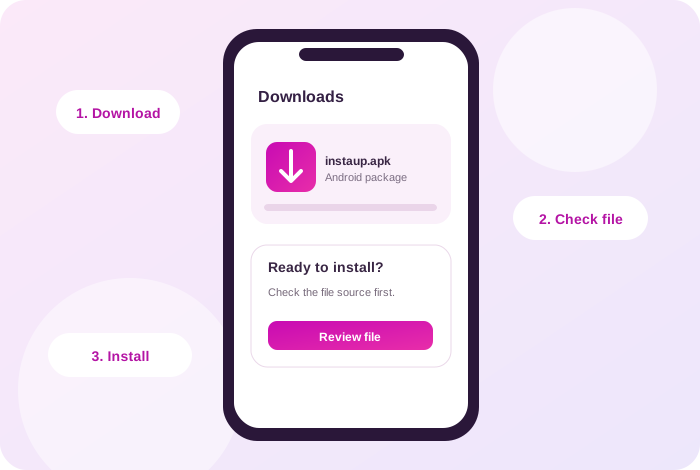
How installation works on Android
- Download the verified APK to your Android device.
- Open the file from Downloads. Android may ask you to allow installs from the browser or file manager.
- Review the app name and permissions, then choose Install only if you trust the file.
- Turn off the temporary install permission after installation.
- If the package does not install, delete it and check the source and Android requirements before trying again.
An APK file cannot run directly on iPhone. On a computer it would require an Android environment; compatibility and account safety are not guaranteed.
Account and privacy risks
InstaUp is a third-party engagement tool. Its coin model is based on people exchanging follows or likes. That is different from finding an audience that chose your content. Instagram’s Community Guidelines ask users not to artificially collect likes or followers. A service that needs your Instagram credentials also deserves careful scrutiny.
Read Instagram’s Community Guidelines and guidance on third-party apps before deciding what to install.
Download FAQs
Where is the InstaUp APK file?
The download link is intentionally blank while the APK source and file details are checked. Once the file is verified, the site owner can add its URL in WordPress Settings → General.
Is InstaUp available for iPhone?
An APK is an Android installation file. It cannot be installed on an iPhone.
How do I check an APK before installing it?
Confirm the publisher and version, scan the file with a reputable security tool, and compare a published SHA-256 hash when one is available. A clean scan is useful but is not a guarantee.
Why does Android ask for permission to install it?
Android normally restricts installs from outside an app store. You must allow the browser or file manager to install that individual file, then turn the permission off again when finished.
Can using InstaUp affect my Instagram account?
Yes. Instagram asks people not to artificially collect likes or followers, and a third-party app that handles your login creates an additional account-security risk.